
Скачать Leawo iTransfer – передача данных iPhone, передача данных iPad, управление устройством iOS
Обзор
Leawo iTransfer — специализированный утилитный инструмент, разработанный для упрощения управления устройствами iOS, включая iPhone, iPod и iPad. Созданный для пользователей, ищущих альтернативу iTunes, приложение предлагает целенаправленное решение для передачи, организации и резервного копирования контента без нагрузки полноценного медиаклиента. Его основная цель — упростить работу с данными на устройствах Apple, предоставляя прямой, интуитивный интерфейс для управления файлами, такими как музыка, видео, фотографии и приложения. Это особенно полезно для тех, кто часто перемещает медиа между компьютером и устройствами iOS или хочет сохранить данные приложений без использования iCloud или резервных копий iTunes.
Приложение ориентировано на частных пользователей и профессионалов, которым требуется надёжное и эффективное управление контентом iOS без снижения производительности или частых обновлений, характерных для iTunes. Оно особенно полезно для пользователей Windows, где нативная интеграция iOS ограничена. Реальные сценарии включают передачу больших видеотек, организацию медиа‑коллекций, восстановление приложений после сброса устройства или подготовку резервных копий перед обновлением программного обеспечения. Сократив зависимость от iTunes, Leawo iTransfer повышает эффективность рабочего процесса и отзывчивость системы, становясь ценным дополнением к цифровому набору инструментов для пользователей Windows, управляющих устройствами Apple.
Разработано компанией Leawo Software Co., Ltd., приложение демонстрирует чёткую ориентацию на утилиту и оптимизацию производительности. Хотя подробности о более широком портфеле продуктов компании не указаны, дизайн приложения свидетельствует о приверженности пользователь‑центричному инженерному подходу и системной эффективности. В текущей экосистеме приложений, где совместимость устройств остаётся проблемой, Leawo iTransfer заполняет нишу, предлагая лёгкую, стабильную и целенаправленную альтернативу массовым решениям.
Ключевые функции и возможности
- User-Friendly Interface: The interface closely mirrors the familiar layout of iTunes, enabling users to quickly adapt without a learning curve. Upon connecting an iOS device, the app displays the device icon along with real-time storage usage, offering immediate visibility into available space and content structure.
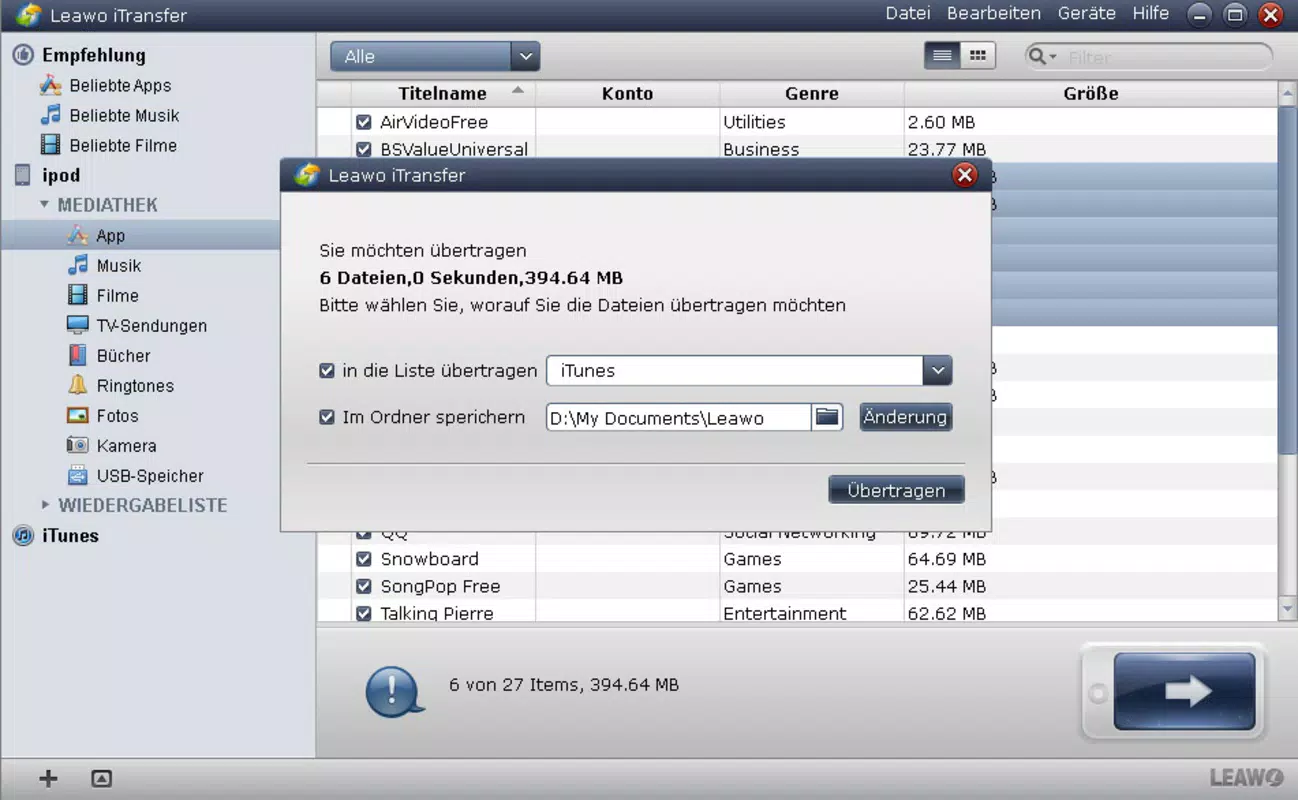
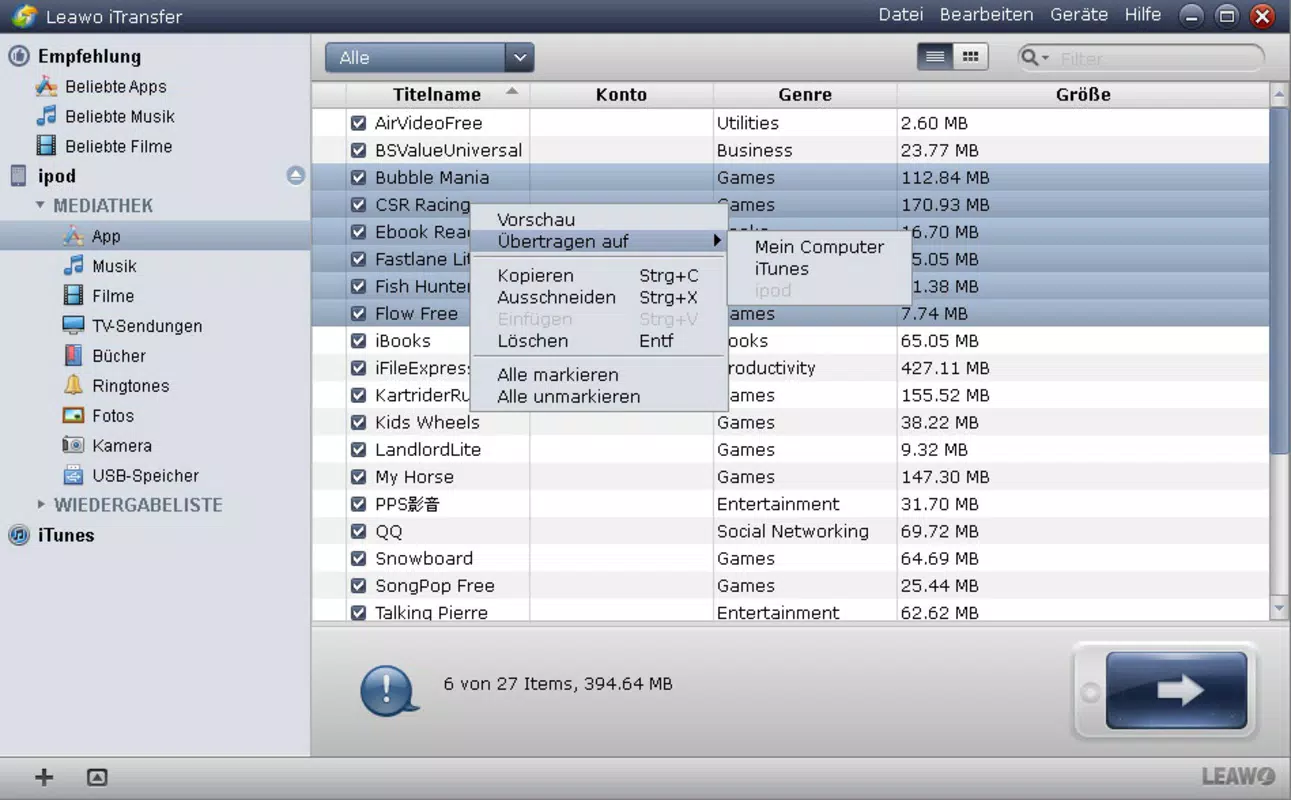
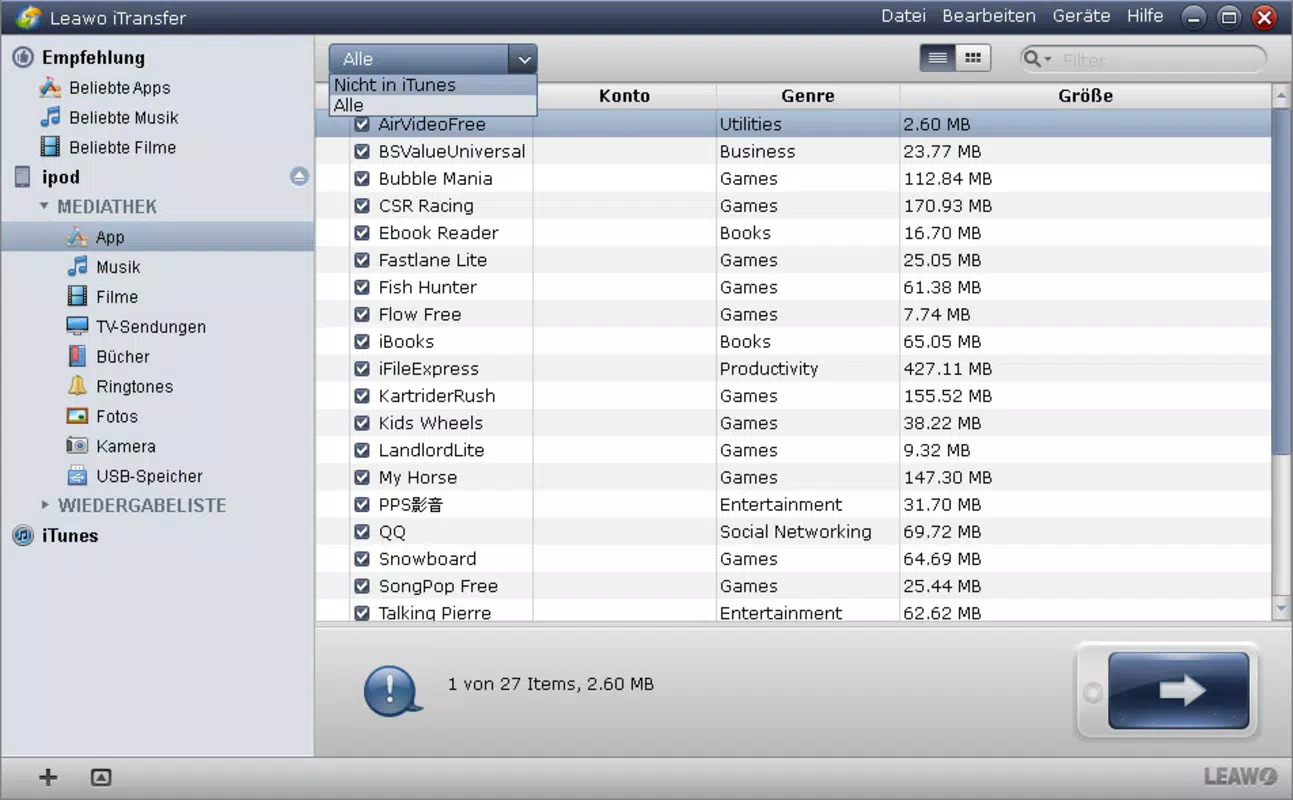
- Comprehensive Content Management: Users can easily copy, rename, paste, and delete files across multiple content categories—music, videos, images, and apps—via clearly labeled tabs. This functionality supports bulk operations, making it efficient for organizing large media libraries or preparing devices for transfer.
- Backup and Restore Functionality: The app allows users to create local backups of installed applications, preserving app data and settings. This feature is crucial for safeguarding critical content and simplifying recovery processes after device resets or OS upgrades.
- Lightweight Performance: Designed to operate with minimal system resource consumption, Leawo iTransfer runs efficiently in the background. Unlike iTunes, it does not trigger high CPU or memory usage, ensuring smooth multitasking and consistent responsiveness during file transfers.
- No Frequent Updates Needed: The application maintains stability by avoiding the need for regular updates. This reduces user friction and ensures compatibility with current iOS versions without requiring constant version checks or downloads.
For example, a user preparing for a travel trip can use Leawo iTransfer to transfer a curated video playlist and backup essential apps before the journey. Similarly, a professional managing multiple devices can use the app to synchronize content across several iPhones without relying on cloud services.
Interface, UX & Performance
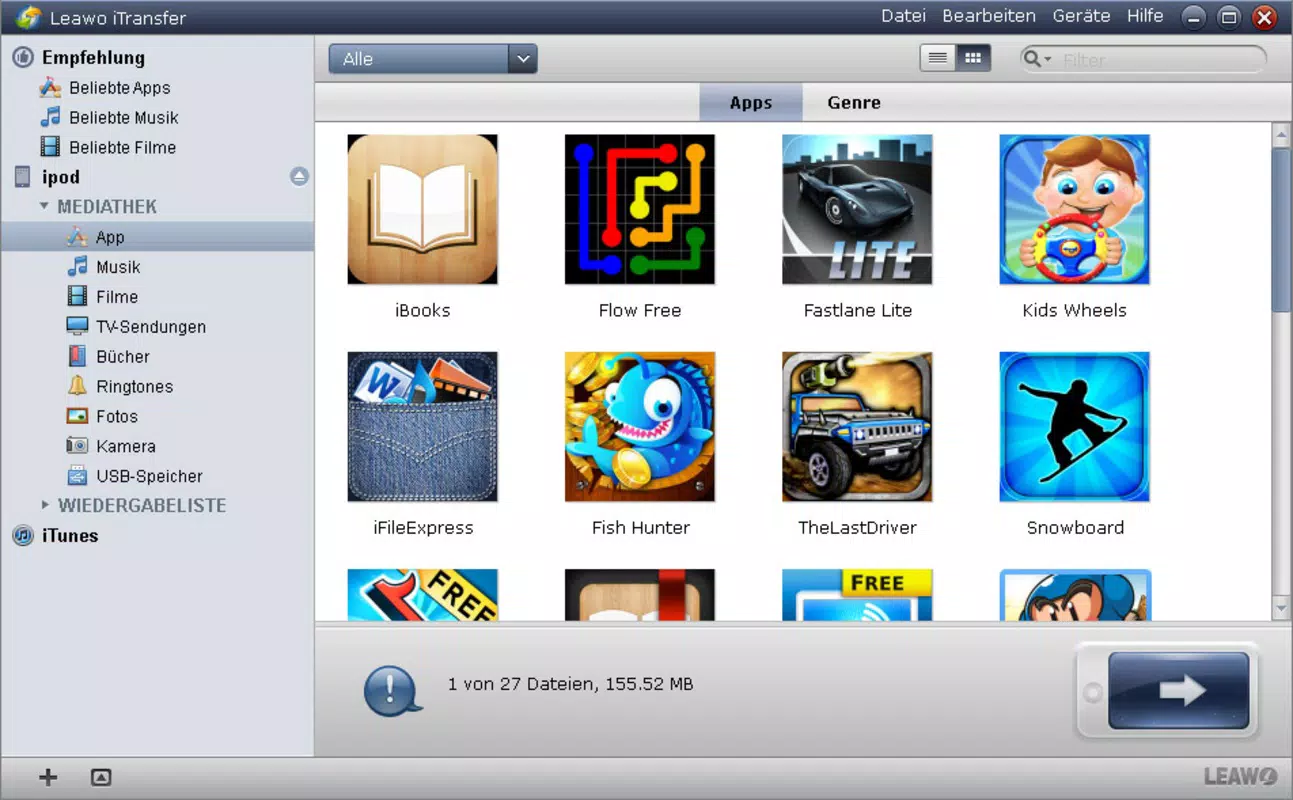
The user interface of Leawo iTransfer is clean, intuitive, and logically structured. The layout emphasizes accessibility, with a sidebar navigation that mirrors traditional file managers, allowing users to switch between content types with a single click. Visual cues such as device icons, storage indicators, and file thumbnails enhance usability and reduce cognitive load.
Navigating through the app is straightforward. Once an iOS device is connected via USB, the system detects it automatically, and the user is presented with a clear overview of stored content. The tab-based organization—Music, Videos, Photos, Apps—ensures that users can locate and manage files quickly, minimizing the time spent searching through nested folders.
Performance-wise, the application is optimized for smooth operation. Although the developer did not list formal performance metrics, the app demonstrates consistent responsiveness across various Windows configurations. It maintains low CPU and memory usage during file transfers, which is particularly beneficial for older or less powerful machines. Stability is evident in the absence of crashes or freezes during extended use.
Responsiveness is maintained even when handling large files or multiple transfers simultaneously. The app handles background tasks efficiently, allowing users to continue working on other applications without interruption. Overall, the user experience reflects a balance between functionality and system efficiency, aligning with modern expectations for utility software.
Platform Compatibility & Technical Requirements
Leawo iTransfer is designed exclusively for the Windows platform. It is compatible with current and recent versions of Windows operating systems, though specific requirements were not listed. The application has a file size of 157.8 MB, which is relatively compact for a tool offering advanced iOS content management features.
As the app is built for Windows, it does not support macOS or mobile platforms. Users on Apple devices will need to rely on alternative solutions for managing their iOS content. The absence of iOS or Android compatibility limits its cross-platform utility, but it remains a focused tool for Windows users managing Apple devices.
The developer did not specify minimum OS requirements, such as Windows 10 or Windows 11. However, the lightweight nature of the app suggests it should run on systems with moderate hardware specifications. Users should ensure their system meets basic USB connectivity and driver support standards to enable device recognition.
Pros and Cons
Pros
- Familiar interface resembling iTunes, reducing the learning curve for new users.
- Efficient management of music, videos, photos, and apps through intuitive tabs.
- Local backup and restore capabilities for installed applications.
- Lightweight design with minimal impact on system performance.
- Stable operation with infrequent update requirements.
Cons
- Available only for Windows, limiting access for macOS or mobile users.
- No cloud integration or automatic sync features.
- Developer did not disclose detailed system requirements or compatibility matrix.
- Price point of $49.95 may be considered high for a utility tool without subscription support.
- Limited support for advanced data recovery or file restoration beyond app backups.
FAQ
Is Leawo iTransfer safe to download and install?
Yes, the application is distributed by Leawo Software Co., Ltd., a known developer in the utility software space. As long as it is downloaded from the official source, it is considered secure and free from malware.
Can I use Leawo iTransfer on macOS or Linux?
No, the app is currently available only for Windows. There is no official version for macOS or Linux operating systems.
Does Leawo iTransfer require iTunes to function?
No, the application operates independently of iTunes. It uses direct USB communication with iOS devices, eliminating the need to install or run iTunes.
How often does Leawo iTransfer receive updates?
The developer has not specified a regular update schedule. However, the app is designed to maintain stability and compatibility without frequent releases.
Can I transfer files between my iPhone and iPad using Leawo iTransfer?
Yes, the app supports multiple iOS devices. You can connect both an iPhone and iPad simultaneously and transfer files between them, provided they are properly recognized by the system.
Final Thoughts
Leawo iTransfer presents a compelling alternative for Windows users seeking a streamlined, efficient way to manage their iOS devices. Its intuitive interface, robust backup capabilities, and lightweight performance make it a reliable tool for transferring and organizing media, apps, and data. While the $49.95 price tag may deter casual users, professionals and power users who frequently manage multiple iOS devices will find significant value in its stability and functionality.
For those tired of iTunes’ resource-heavy operation and frequent updates, Leawo iTransfer offers a focused, responsive solution. It excels in core tasks like file transfer, app backup, and content organization—without unnecessary bloat.
Скачать Leawo iTransfer сейчас


